Truly fine
Documentation.
Password page
Last update:
You can control visitor access to your online store by setting up a password. The password page serves as the landing page, allowing customers to enter your store using the password you provide. This is a native Shopify feature and you can learn more about it by following this link.
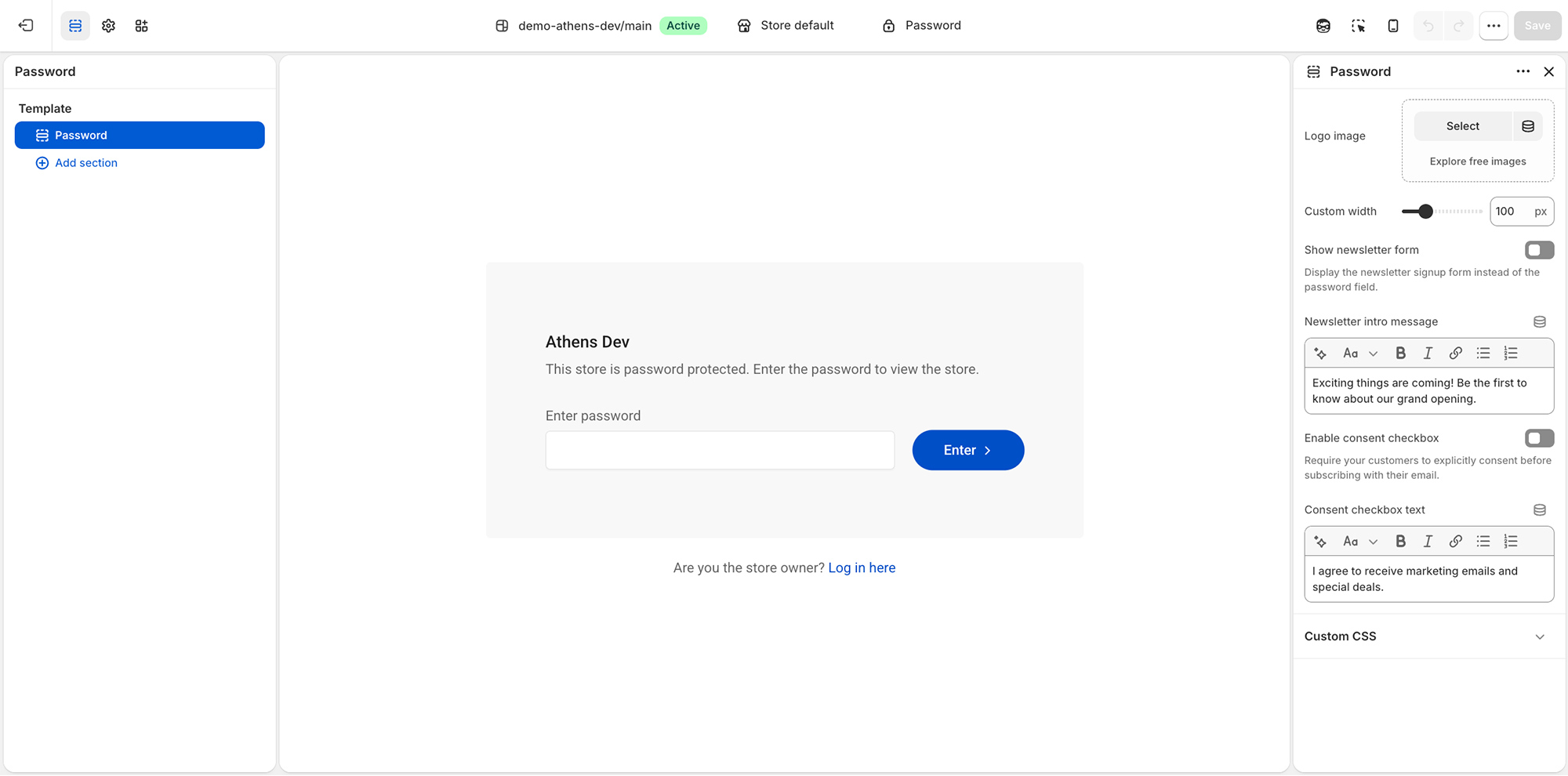
The Athens theme provides a few options for your store’s password page:
Logo image: Optionally select your brand logo in your password page.
Custom width: Set the maximum width of the logo.
Show newsletter form: Display a newsletter signup form instead of the password field.
Newsletter intro message: Optionally display an intro message that will be shown when the newsletter form is enabled.
Enable consent checkbox: Require consent from your customers when they attempt to sign up to your newsletter.
Consent checkbox text: The text of the consent checkbox.
Can't find what you are looking for? Feel free to submit a request.