Truly fine
Documentation.
Cart
Last update:
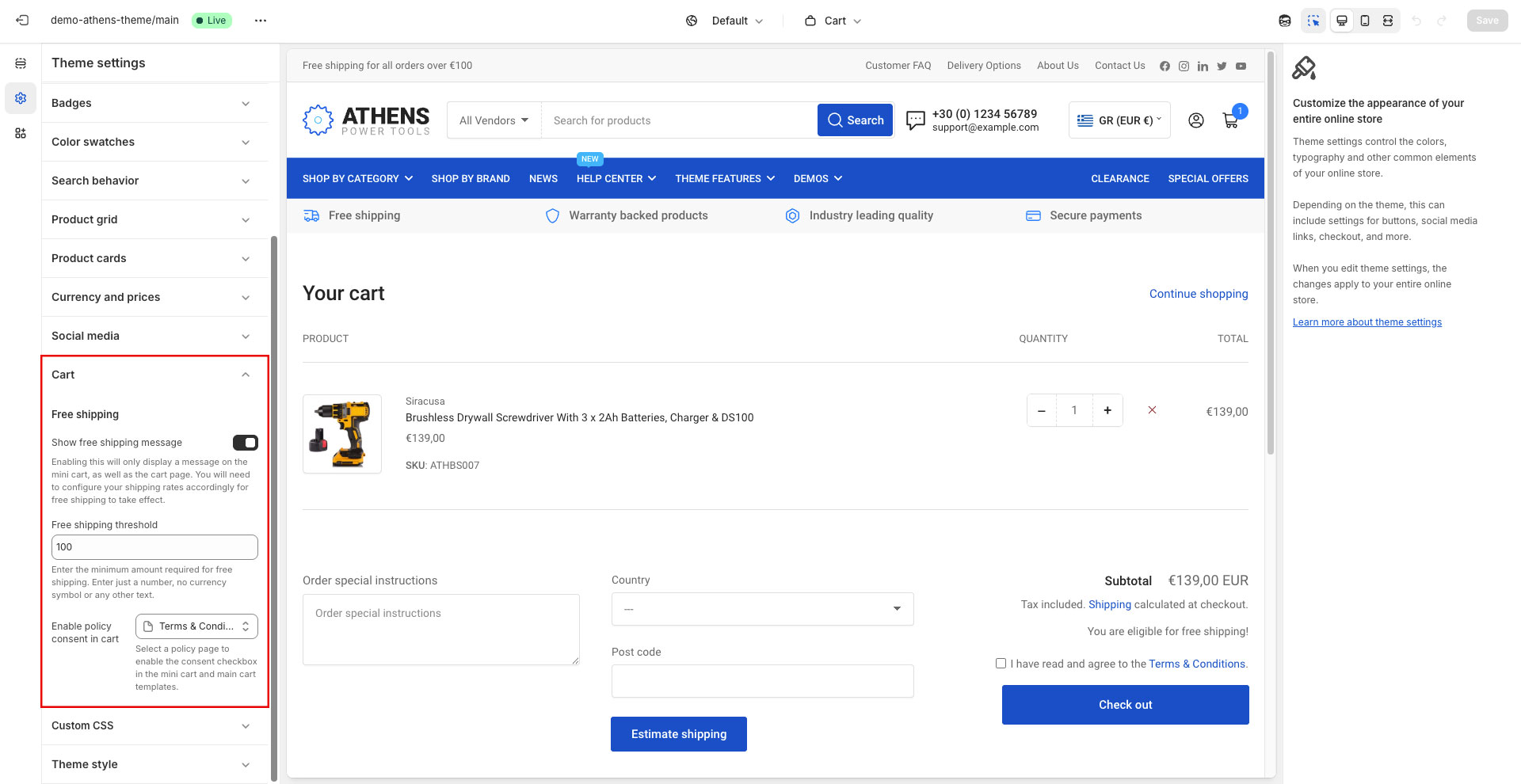
Free shipping
Show free shipping message: Enabling this will display a free shipping message on the cart page and mini cart of your store. This message is only informational and not dynamic based on shipping settings. You will need to configure your shipping rates accordingly for free shipping to take effect.
Free shipping threshold: The minimum amount required for free shipping.
Show progress bar: Displays a progress bar in the mini cart, right below the free shipping message, showing how close the cart total is to the free shipping threshold. The bar fills proportionally to the cart total and stays full once the threshold is reached. It requires a threshold greater than zero to appear.
Enable policy consent in cart: Choose a page that will display a required checkbox before a customer can move to checkout from the main cart page and header cart drawer.
Mini cart
Show vendor: Displays each product’s vendor above its title, in the mini cart’s line items.
Enable coupon code: Enable this option to allow you customers the ability to enter coupon codes from within the mini cart.
Allow multiple coupons: When this option is disabled, any new coupon code entered will overwrite any previous one. When enabled, all coupon codes entered will be remembered. Whether or not these coupon codes are applied, depends exclusively on each coupon code’s configuration.
Show cross-sells: Displays a collapsible carousel of suggested products at the bottom of the mini cart, based on what is already in the cart. Suggestions are drawn in turn from each product in the cart, and products already in the cart are never suggested. They are loaded the first time the mini cart is opened with the suggestions expanded, and are remembered for the rest of the visit, so subsequent openings are instant. Customers who collapse the suggestions keep them collapsed while browsing the store.
Heading: The heading shown above the cross-sell suggestions. Leave empty to use the theme’s translated default text.
Number of cross-sells: How many suggested products to display, from 3 to 10. Note that when fewer suggestions are available than requested, only the available ones are shown.
Cross-sell sources: Determines where suggestions come from, in priority order. For each product in the cart, the first source that returns any products wins outright; lower priority sources are not used to top it up. This means that if you have curated exactly two cross-sells for a product, those two are shown rather than being padded with automatic recommendations.
The available sources are:
- Complementary: Products set up as complementary in Shopify’s “Search & Discovery” app.
- Recommendations: Shopify’s automatic related product recommendations. They can be customized in in Shopify’s “Search & Discovery” app, and are the same ones displayed by the Product recommendations section in the Product template.
- Complementary, Recommendations: Complementary products first, falling back to automatic recommendations for products that have none.
All three options first look for a “custom.cross_sells” product metafield of “List – Product” type, so you can curate your cross-sells per product, without affecting the Complementary and Recommendations results.
Enable cart note: Adds an order note field in the mini cart, letting customers leave a note with their order without having to visit the cart page.
Show cart button: Toggles the visibility of the “View cart” button at the bottom of the mini cart.
Show checkout button: Toggles the visibility of the “Checkout” button at the bottom of the mini cart.
Empty cart
Collections: Select up to 4 collections to display in the mini cart while it is empty, to help shoppers keep browsing. Each collection is shown as a small card using its collection image, or the image of its first product when no collection image is set.
Heading: The heading shown above the collections. Leave empty to display the collections without a heading.
Can't find what you are looking for? Feel free to submit a request.