Truly fine
Documentation.
Cart page
Last update:
The cart page allows customers to review their products before proceeding to checkout. It showcases product details, quantities, and prices, while also offering options to modify their order.
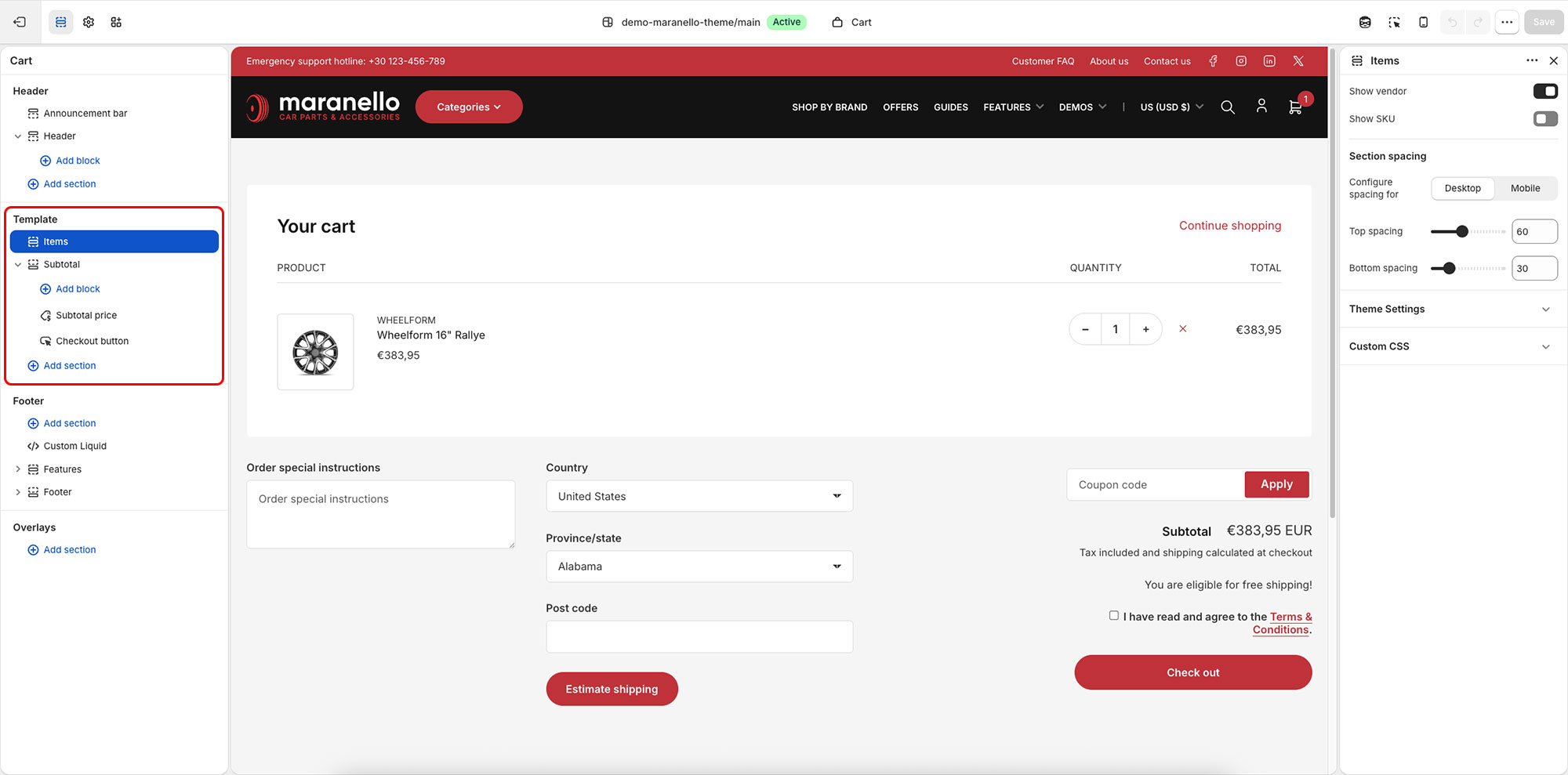
The template includes two sections, “Items” and “Subtotal”.
Items settings
Show vendor: Choose whether the show the vendor of the product inside the cart.
Show SKU: Choose whether to display the SKU of the product inside the cart.
Subtotal settings
Enable coupon code: Enable this option to allow you customers the ability to enter coupon codes from within the mini cart.
Allow multiple coupons: When this option is disabled, any new coupon code entered will overwrite any previous one. When enabled, all coupon codes entered will be remembered. Whether or not these coupon codes are applied, depends exclusively on each coupon code’s configuration.
Enable cart note: Optionally display a cart note text area where your customers can leave notes about their order.
Enable shipping calculator: Enable a shipping calculator where customers can estimate their shipping costs.
Section spacing
The section spacing settings give you the option to adjust the top & bottom section spacing values. Use the Configure spacing for option to switch between the Desktop and Mobile values, each of which has its own Top spacing and Bottom spacing setting. Please note: If you select a color scheme with a background color, these settings will affect the spacing between the top or bottom of the section and the content of the section.
Can't find what you are looking for? Feel free to submit a request.